
RONE STUTTER
Tempo-locked stutter engine for instant fills, edits and glitch builds.
One payment · 2 computers · free lifetime updates · or the whole rack on one pass
 + RONE VST MANAGER, free foreverAll your plugins in one library, one click away from your DAW. It's $39 on its own and comes free with this plugin.
About RONE Stutter
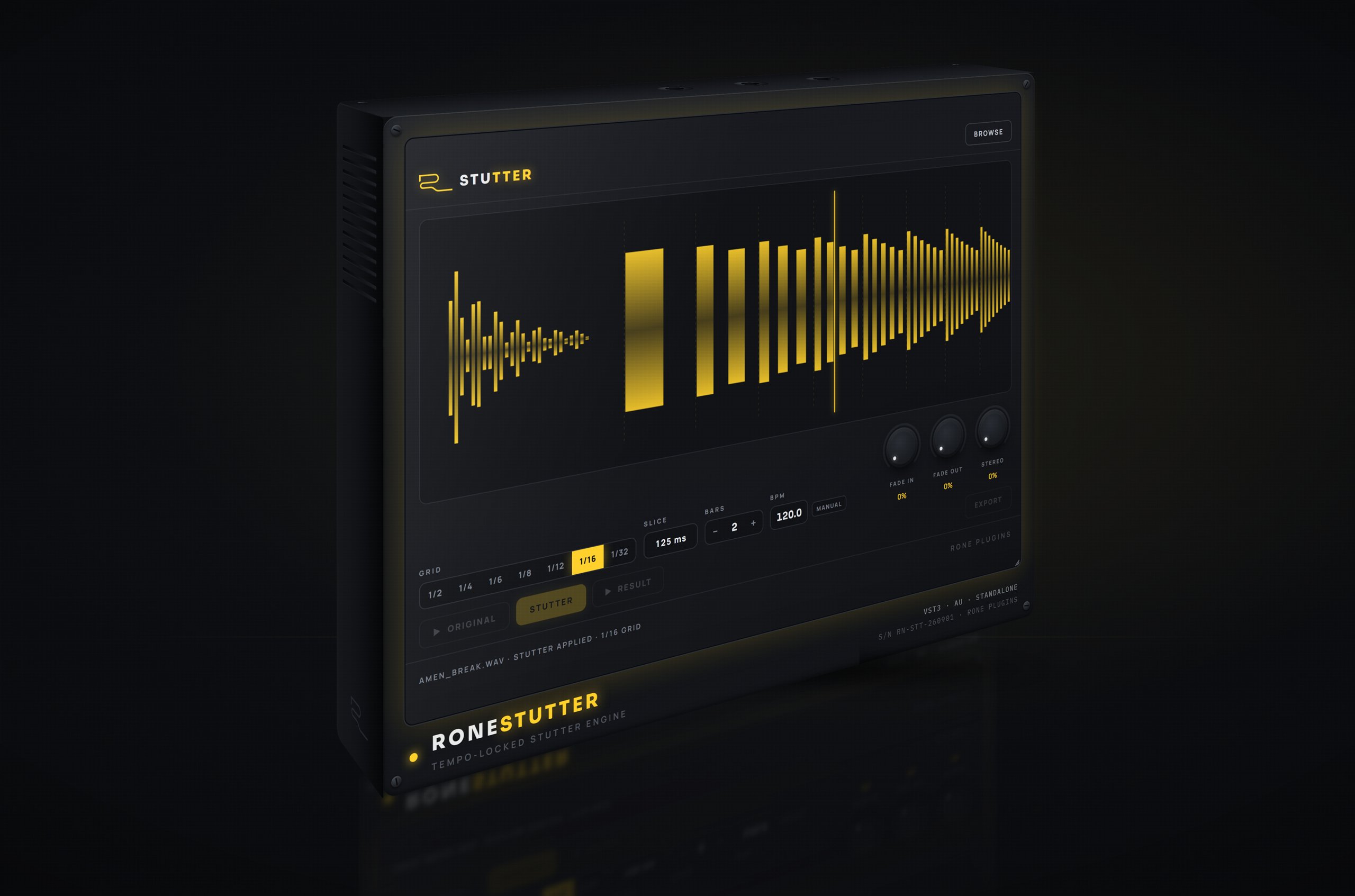
RONE Stutter turns one sound into a finished stutter fill. Drop in a hit, a chord or a word and it is rendered the moment it lands, from the first transient that actually sounds, in exact beat divisions — from long half-bar echoes down to 1/32 rolls, and with RAMP TO a roll that accelerates to 1/64 in a single render. Everything follows the song's tempo, so every fill lands where you meant it to.
The repeats are not raw slices: sculpted fade curves keep the edges clean at any rate, and stereo movement spreads the roll across the field so builds feel alive instead of mechanical.
It is a renderer, not a live chopper: the result is a printed, sample-accurate clip that you pull straight out of the waveform into the arrangement — no automation lanes, no timing fixes, no re-renders.
The real plugin, playing by itself
The real interface, running in your browser on an example loop. The sound engine is stood in for here, so read the numbers as an illustration.
Click a grid, get a new fill
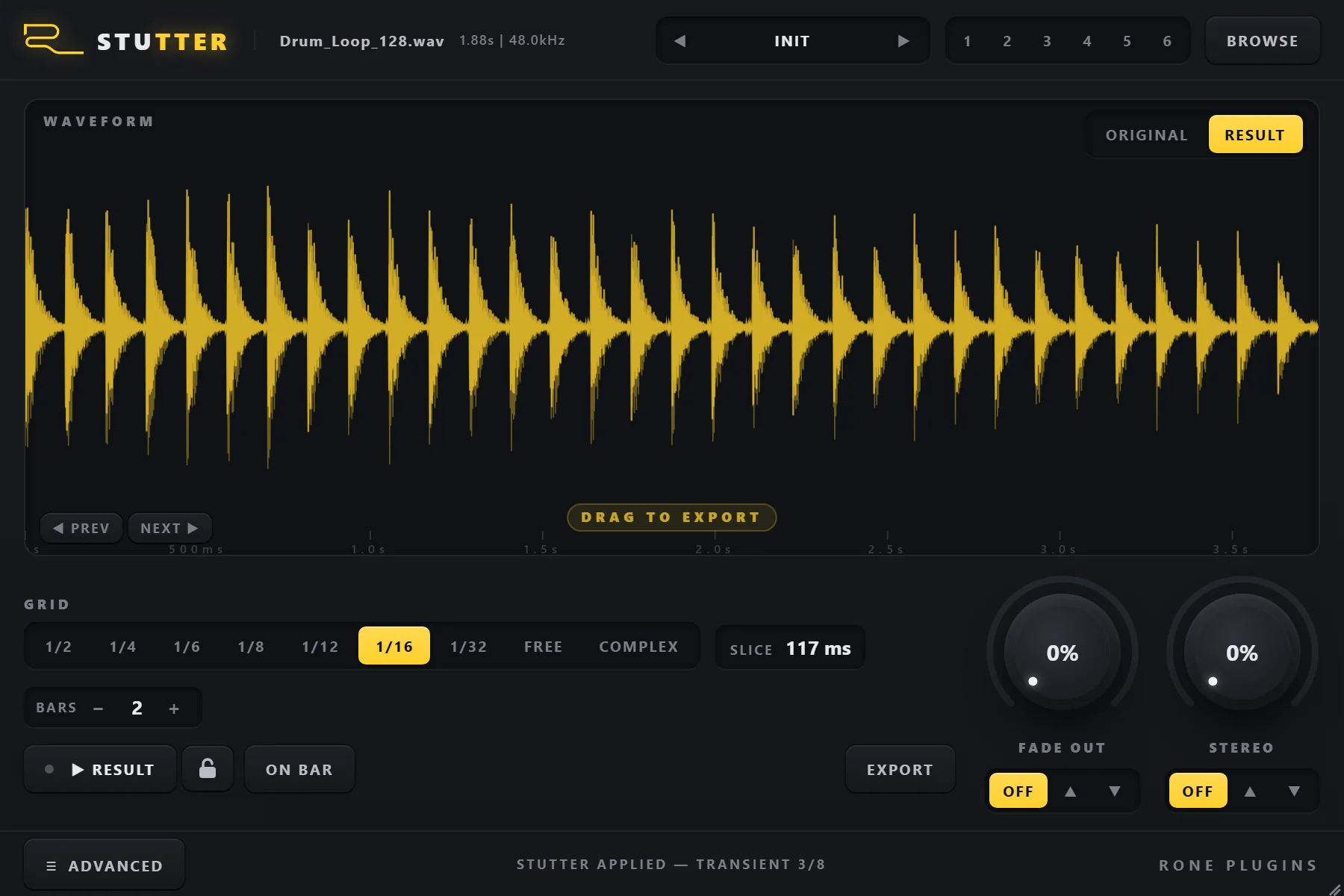
1/2 down to 1/32, triplets included, locked to the tempo. Every click renders the fill again from the same hit, and SLICE says how long one repeat is.
Another hit, another fill
NEXT and PREV re-roll the fill from the neighbouring hits of your file. ORIGINAL shows every transient - click one and the fill is rebuilt from it.
Shape every repeat
FADE OUT opens a gap at the end of each repeat, from soft echoes to hard gates. STEREO sends every other repeat to one side, so the roll moves across the field.
A roll that speeds up
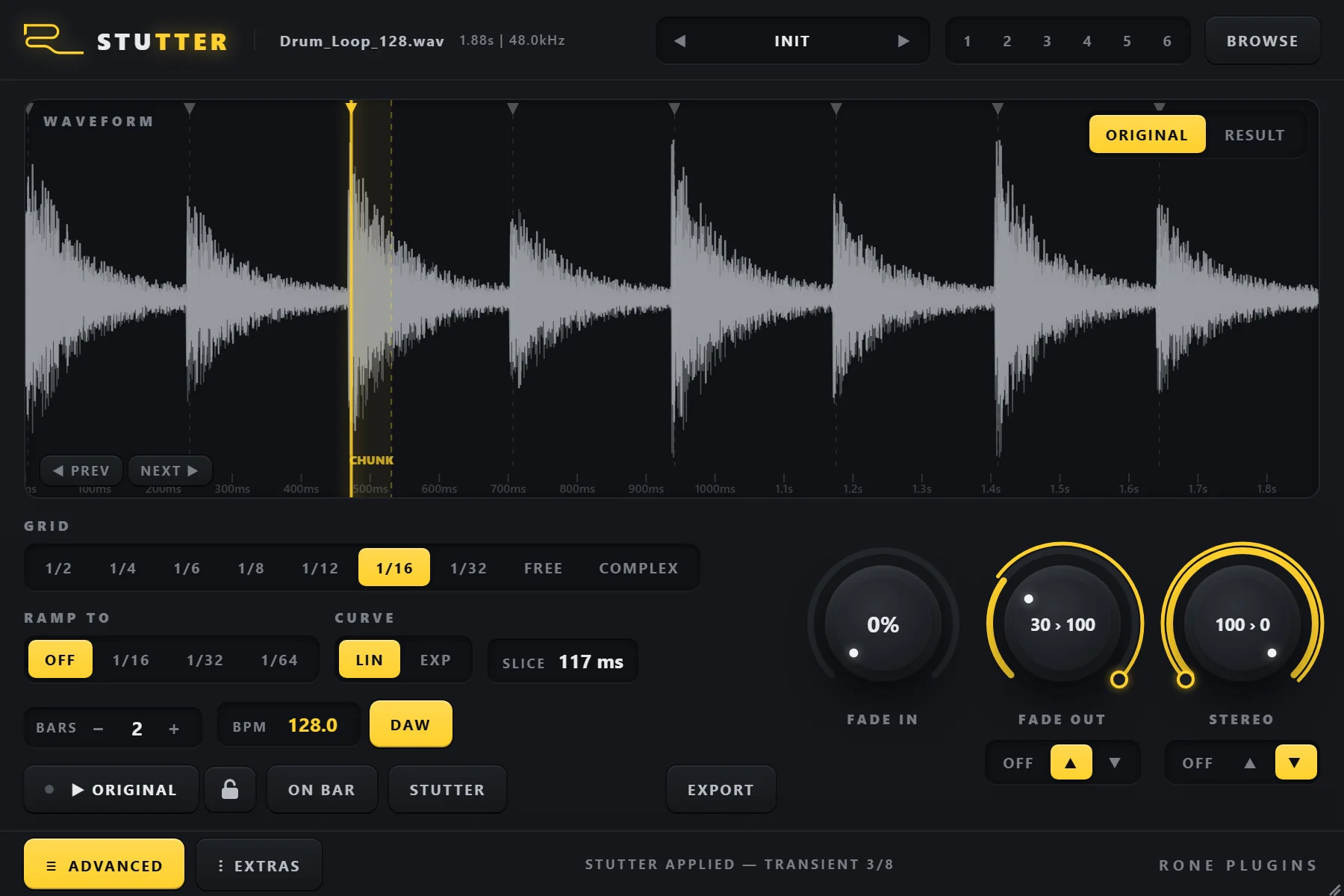
In ADVANCED, RAMP TO doubles the rate stage by stage - 8ths into 16ths into 32nds - with every speed-up on a bar line, in one render. EXP holds the slow part longer and rushes the end.
What it does
Beat-division engine
GRID from 1/2 to 1/32, triplets included, always locked to the host tempo. SLICE shows one repeat in milliseconds.
Sculpted fades
Adjustable fade curves keep every repeat click-free, from soft echoes to hard gates.
Stereo movement
Pan motion across the repeats spreads rolls and builds across the stereo field.
Instant fills
A file you drop is already a fill. PREV / NEXT re-roll it from the neighbouring hits, and every change re-renders by itself.
Accelerating rolls
RAMP TO doubles the rate stage by stage, 8ths into 16ths into 32nds, in one render. PITCH RAMP makes it rise; KEY keeps the buzz in tune.
Straight into the DAW
Pull the clip out of the waveform into your arrangement, or EXPORT a WAV. Rendering is offline, so it adds no latency to your session.
When you reach for RONE Stutter
A few settings to start from.
A loop out of a single strum
Drop in one guitar chord, a vocal word, a single hit — anything. Pick the transient, choose a grid, and the plugin renders a finished loop from that one sound. Drag the result straight from the plugin into the arrangement.
FADE OUT 45% · STEREO 35%
The fill you did not have to play
Take the last hit of the phrase and render a bar of it on a tight grid. Because every repeat is identical and locked to the tempo, it drops into the turnaround without editing and loops cleanly if you want two bars instead of one.
FADE OUT 70% · GLOBAL OUT 100%
Mono source, stereo result
Push the stereo control and the repeats start ping-ponging — each slice ducks the opposite side. A mono one-shot becomes a wide rhythmic texture you can sit under the lead without touching a reverb.
FADE IN 10% · FADE OUT 30%
Before you install
System requirements
- Windows
- 64-bit · VST3, AAX and Standalone
- macOS
- 10.15 Catalina or later, Intel and Apple Silicon · VST3, AU, AAX and Standalone
- Pro Tools
- AAX on Windows and macOS.
- Not included
- CLAP
- Account
- A free RONE account, on up to 2 computers
- Internet
- To sign in and install. After that it keeps working offline for up to 90 days on a lifetime licence, 8 days on ALL ACCESS.
Install in three steps
- Buy it, or start ALL ACCESS. A free RONE account comes with it.
- Download the RONE Plugins Center from the page that opens, install it and sign in.
- The Center installs RONE Stutter and unlocks it. If your DAW does not list it yet, scan for new plugins.
Common questions about RONE Stutter
What formats does RONE Stutter come in, and on which systems?
RONE Stutter runs as VST3, AU and Standalone on macOS 10.15 Catalina or later (Intel and Apple Silicon), and as VST3 and Standalone on Windows (64-bit). It also installs as AAX on Windows and macOS, so it runs in Pro Tools. CLAP is not included.
Which DAWs does RONE Stutter work in?
Any DAW that loads VST3 on Windows, or VST3 or AU on macOS: Ableton Live, FL Studio, Logic Pro, Pro Tools (AAX), Cubase, Studio One, Bitwig Studio, REAPER and others. The Standalone version runs on its own, without a DAW.
How much does RONE Stutter cost, and is there a subscription?
RONE Stutter is $49 as a lifetime licence: one payment, no subscription, 2 computers, and every future update of this plugin included. It is also part of RONE ALL ACCESS, every RONE plugin and every future release for $20 a month or $149 a year, with a 14-day free trial.
Is there a free trial of RONE Stutter?
Yes, through ALL ACCESS: the 14-day free trial unlocks every RONE plugin, RONE Stutter included, and nothing is charged until it ends. A lifetime licence is a one-off purchase without a trial.
Does RONE Stutter work in real time, or only on a dropped file?
Both. EDIT renders a finished, bar-exact fill from a sound you drop in, ready to drag out of the waveform into the arrangement or to export as a WAV. LIVE stutters whatever plays through the channel in real time, with no added latency, and sounds exactly like the fill you built in EDIT.
Which note values can RONE Stutter repeat on?
GRID runs from 1/2 to 1/32 with triplets, locked to the host tempo. RAMP TO accelerates the roll to 1/16, 1/32 or 1/64 inside one render, FREE sets a repeat length in milliseconds off the grid, and COMPLEX writes a row of steps instead of one grid.
Does RONE Stutter add latency?
None. EDIT renders the fill offline and LIVE adds no latency, so the stutter sits exactly where the beat is.
How do I install RONE Stutter?
Buy it, or start ALL ACCESS; a free RONE account comes with it. Download the RONE Plugins Center from the page that opens, install it and sign in. The Center installs RONE Stutter and unlocks it, and keeps it updated from the same card; if your DAW does not list it yet, scan for new plugins.
Where is the RONE Stutter manual?
The full user manual comes with RONE Stutter: it is installed with the plugin as a PDF and opens from the plugin's card menu (Manual) in the RONE Plugins Center, for everyone who owns it or has ALL ACCESS. The video tutorial is free at roneaudio.com/manuals/ and on the RONE PLUGINS YouTube channel.
Get RONE Stutter
Own RONE Stutter outright, or run it and every other RONE instrument on one pass.
LIFETIME LICENSE
One payment, no subscription — 2 computers, free lifetime updates: every new version of this plugin is yours, never a paid upgrade.
Every RONE plugin, plus everything released from here on, for as long as you subscribe — $20 a month, or $149 a year.
The button marked NOT ON SALE YET means this plugin’s lifetime checkout is not open yet — the price shown is final, and the button starts working the day it opens. ALL ACCESS is live today either way.
SECURE CHECKOUT VIA PADDLE · 14-DAY FREE TRIAL ON ALL ACCESS · CANCEL ANYTIME