
RONECLIPPER
A free hard clipper that shows you exactly what it cut — and keeps the kick and bass out of it.
Free RONE account · install it from the RONE Plugins Center · yours for good
About RONE Clipper
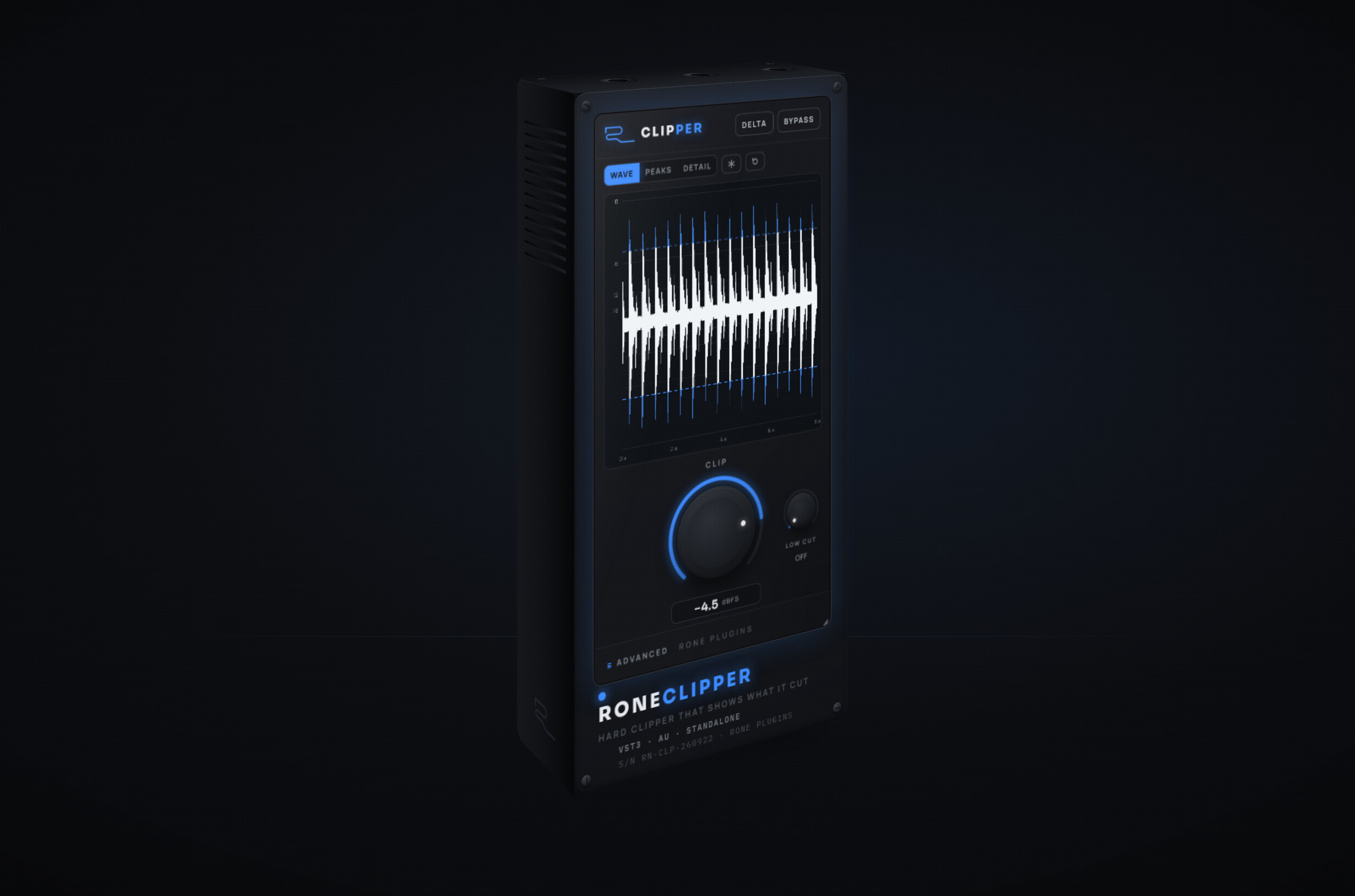
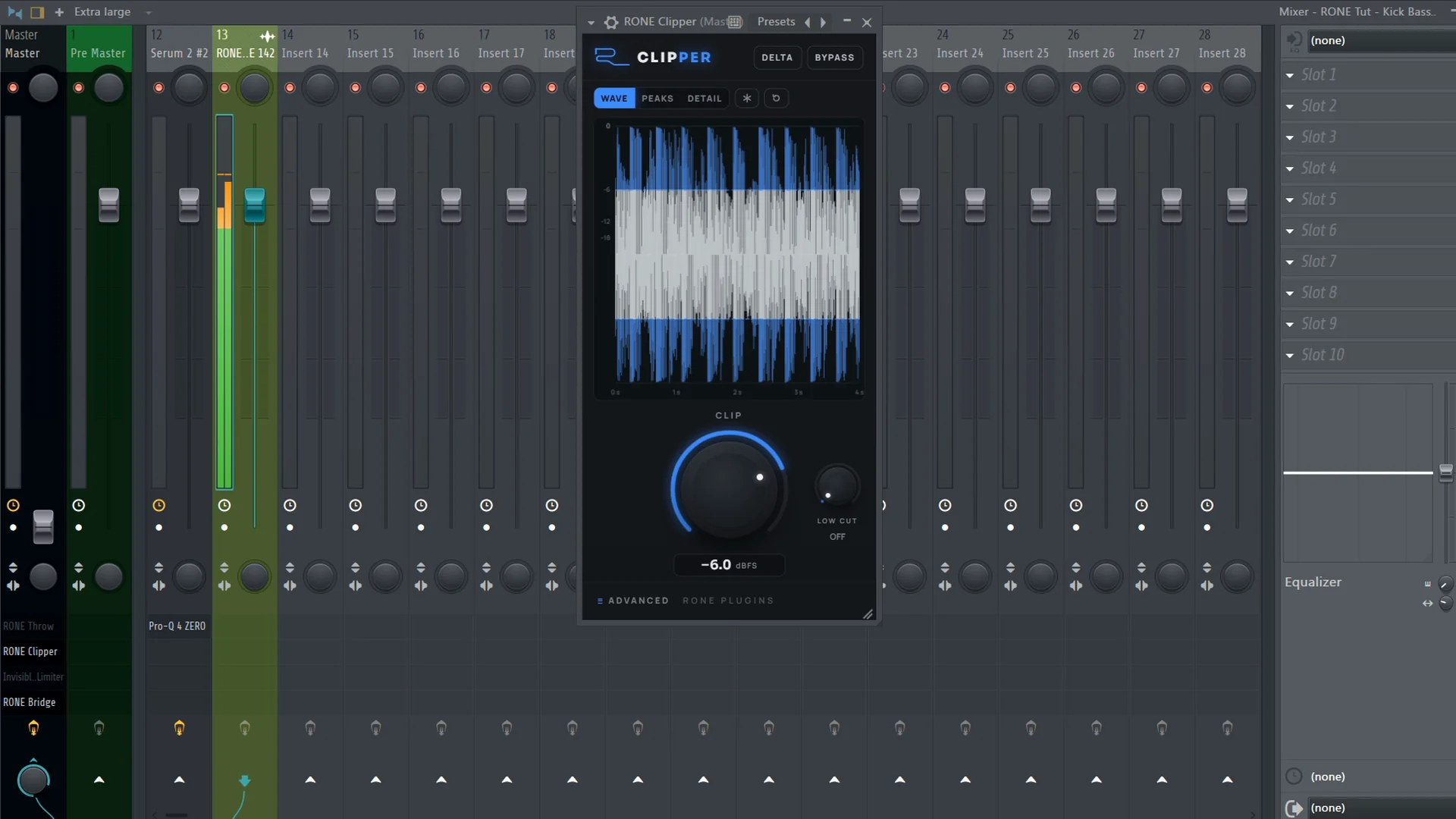
RONE Clipper is a hard clipper with one honest question at its centre: what did it actually remove? The window opens on the answer. The output waveform scrolls by and every peak the clipper cut is drawn on top of it in blue, so a glance tells you whether you are trimming transients or flattening the whole part. Turn CLIP down and the threshold line follows; the more you cut, the more blue you see.
Clippers make the low end jump, because a kick and the bass under it are the tallest thing in the mix. LOW CUT fixes that at the source: it splits the lows off before the clipper, clips only what is above, and re-adds the lows unclipped. Whatever the clipper itself adds below the knob is taken out with a linear-phase filter, so the bump a clipper normally invents at 20-400 Hz simply is not there.
Underneath, it is as transparent as the maths allows. Our own linear-phase half-band oversampler runs from 1x to 16x with the same fixed latency at every setting, the threshold moves at the oversampled rate, and switching the factor cross-fades with no click. DELTA plays only what was removed, AUTO GAIN brings the clipped peaks back to full scale, and the window stays a small one-knob rectangle until you open ADVANCED.
What it does
Shows what it cut
The removed peaks are drawn in blue over the output waveform in real time. WAVE for the signed shape, PEAKS for the classic bar view, DETAIL for a sample-level look at one hit.
Mouse time-zoom and freeze
Drag up or down on the visual to change how many seconds are on screen, from 8 s down to 5 ms in DETAIL. Freeze holds the picture while you tweak.
LOW CUT saves the lows
Splits everything below the knob off before the clipper and puts it back unclipped; whatever the clipper adds below the knob is removed with a linear-phase filter. Kick and bass stop jumping, the clipper only ever sees what is above.
Transparent oversampling
Our own half-band linear-phase oversampler, 1x to 16x, with integer latency that does not change when you switch. Pass-through nulls below -94 dB at every factor.
DELTA and AUTO GAIN
DELTA plays only what was removed so you can hear exactly what you are giving up. AUTO GAIN raises the output by the amount you cut, so the clipped peaks land at full scale.
One knob until you need more
The default window is a small rectangle: the visual, CLIP and LOW CUT, with DELTA and BYPASS on top. ADVANCED grows it to INPUT, OUTPUT, oversampling and AUTO GAIN. Resizable from the corner like every RONE plugin.
When you reach for RONE Clipper
Feature lists don't sell to producers. Recipes do.
Louder drums, same low end
Put it on the drum bus, switch LOW CUT to about 120 Hz and pull CLIP down until the blue caps sit on the snare and hat transients only. The kick passes underneath untouched; the bus gets 3-4 dB louder and the low end does not move on the analyzer.
OS 4x · AUTO GAIN ON
Shave the peaks the limiter would pump on
Clip the lead before it hits the master limiter. Open DETAIL and drag down to a few milliseconds to see one hit: you are trimming the very top of the transient, nothing more. The limiter now works on a flat-topped signal and stops breathing.
VIEW DETAIL · ZOOM 20 ms
Hard edges without the mud
Clip a rolling bass line for bite, but set LOW CUT to 200 Hz so the sub stays clean and only the mids get the edge. Press DELTA to hear the removed part on its own; if it sounds like the sub, raise LOW CUT until it does not.
DELTA check · OS 16x
Before you install
System requirements
- Windows
- 64-bit · VST3 and Standalone
- macOS
- 10.15 Catalina or later, Intel and Apple Silicon · VST3, AU and Standalone
- Not included
- AAX, CLAP
- Account
- A free RONE account, on up to 2 computers
- Internet
- To sign in and install. After that it keeps working offline for up to 90 days between checks.
Install in three steps
- Make a free RONE account. Sign up here, no card.
- Download the RONE Plugins Center from the page that opens, install it and sign in.
- The Center installs RONE Clipper and unlocks it. If your DAW does not list it yet, scan for new plugins.
Mac: the installers are not Apple-notarized yet. If the first launch is blocked, open System Settings → Privacy & Security and press Open Anyway next to the message about the blocked app.
Windows: the installers are not code-signed yet. If SmartScreen shows “Windows protected your PC”, click More info, then Run anyway.
Version history
- 1.0.123 SEP 2026
Update notice: when a newer version is out, the plugin says so as it opens. UPDATE hands it to the Plugins Center, which installs it as soon as your DAW lets go of the plugin; LATER hides the note for three days.
- FREE23 SEP 2026
RONE Clipper becomes a free plugin.
- 1.0.022 SEP 2026
First release: WAVE, PEAKS and DETAIL, CLIP, LOW CUT, DELTA, AUTO GAIN, 1x to 16x oversampling, and INPUT and OUTPUT under ADVANCED.
Get RONE Clipper
RONE Clipper is free. Make a free RONE account, download the RONE Plugins Center, sign in — it installs and unlocks the Clipper for you.
FREE PLUGIN · NO CARD · NO TRIAL
1. Free account · 2. RONE Plugins Center · 3. Sign in — RONE Clipper unlocks, 2 computers, updates included.
Every RONE plugin, plus everything released from here on, for as long as you subscribe — $20 a month, or $149 a year.
The button marked NOT ON SALE YET means this plugin’s lifetime checkout is not open yet — the price shown is final, and the button starts working the day it opens. ALL ACCESS is live today either way.
RONE CLIPPER IS FREE · 7-DAY FREE TRIAL ON ALL ACCESS · CANCEL ANYTIME