
RONE REVERSE REVERB
Tempo-synced reverse reverb for risers, vocal swells and seamless transitions.
One payment · 2 computers · free lifetime updates · or the whole rack on one pass
 + RONE VST MANAGER, free foreverAll your plugins in one library, one click away from your DAW. It's $39 on its own and comes free with this plugin.
About RONE Reverse Reverb
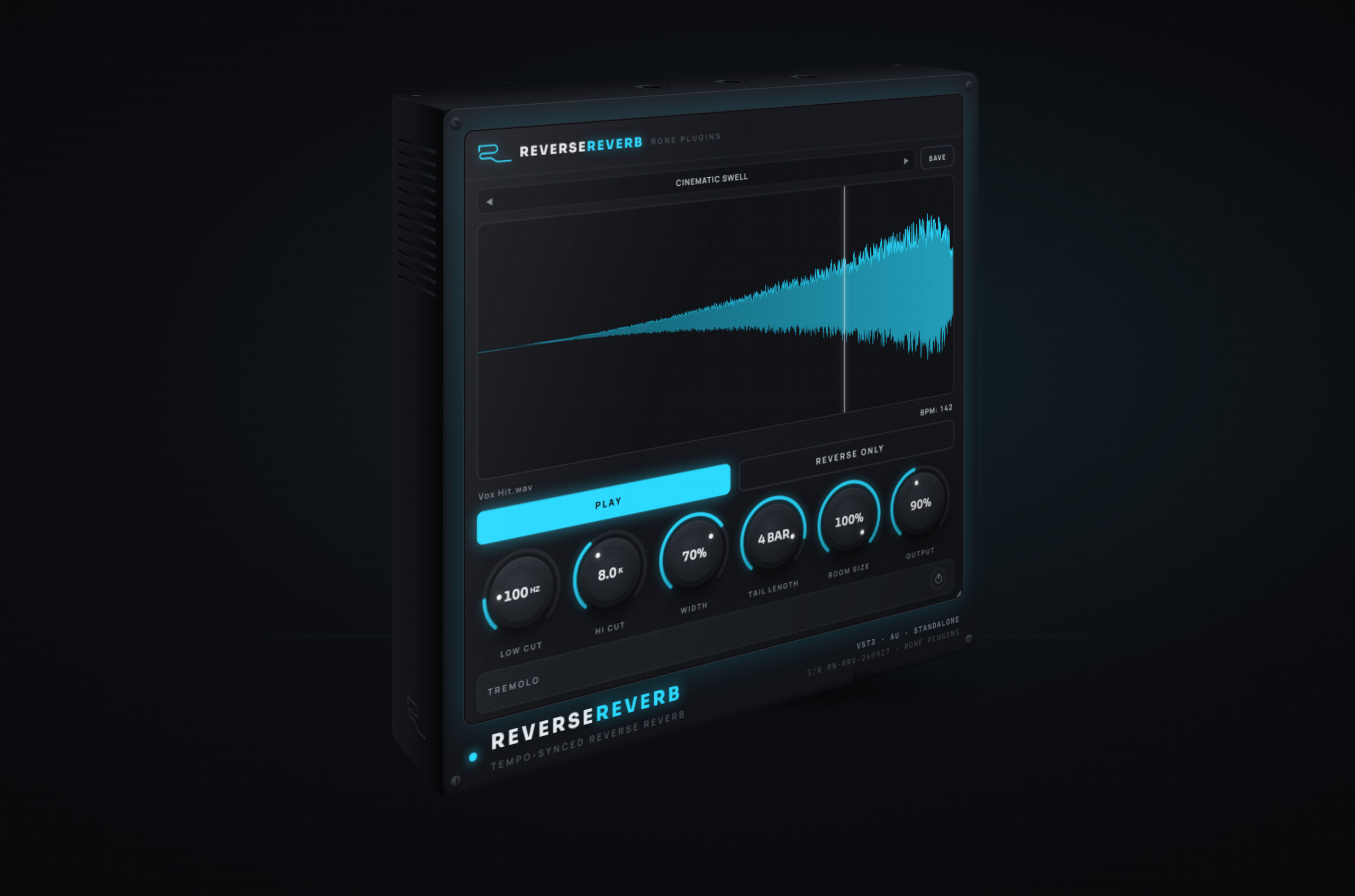
RONE Reverse Reverb takes any sample and builds a reversed reverb tail that lands exactly on the beat. Choose a tail length from 1/32 up to 8 bars and the swell is rendered to match your session tempo — no manual audio flipping, no guesswork, no bouncing between tracks.
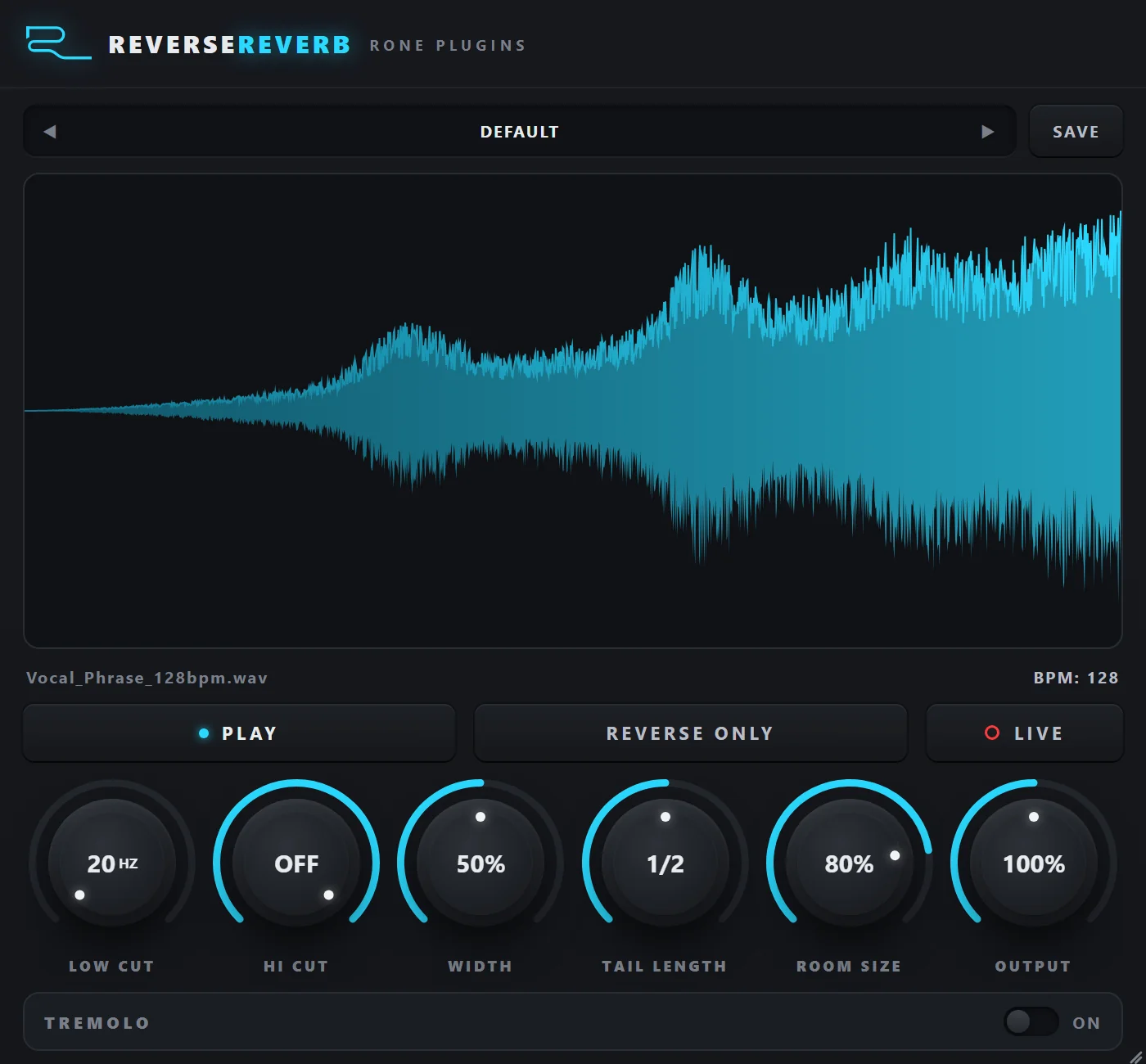
Put it on a mixer insert, drop a file on the waveform, trim it with the fade handles, then shape the tail with low cut, hi cut, stereo width and room size. In TRANSITION mode the swell runs straight into the original hit and its decay. The built-in tremolo section adds movement on top: a RAMP mode that accelerates from long divisions into a scream, straight SYNC, and a FREE mode whose RATE you can record by hand into the sample with the red REC dot.
Like every RONE instrument, it runs a hand-tuned, zero-latency DSP engine that stays light on the CPU — drop it on as many transitions as the track needs.
The real plugin, playing by itself
The real interface, running in your browser on an example loop. The sound engine is stood in for here, so read the numbers as an illustration.
Shape the swell by hand
Drag the handles at both ends of the waveform to fade the swell in and out, and drag the small dots to bend the fades. PLAY, and the cursor runs over exactly what you will hear.
A length that lands on the beat
TAIL LENGTH runs from 1/32 to 8 bars at your session tempo. TRANSITION adds the original hit on the join and the same reverb forwards out of it: swell, hit and decay in one clip.
From swell to riser
Turn the TREMOLO on and RAMP chops the swell faster and faster towards the end, from 1/4 to 1/32 by default. SYNC holds one division, FREE runs at a RATE you set; the waveform shows the result.
Twelve starting points
Dreamy Pad, Cinematic Swell, Transition Rise, Tremolo Wash, Pulsing Reverse, Snare Swell and more. A preset sets the render and the tremolo; the sound you loaded stays.
What it does
Tempo-synced tails
Tail lengths from 1/32 to 8 bars, always locked to the session tempo and cut exactly on time.
Drag & drop sampler
Waveform display with fade handles and curve control — trim and shape the source in place.
Two engines
REVERSE ONLY flips the sample; REVERSE + VERB builds a full reversed reverb swell around it.
Tail shaping
Low cut, hi cut, stereo width and room size knobs sculpt the swell to sit in the mix.
Riser tremolo
Tremolo section with RAMP mode — gating that accelerates bar-by-bar into the drop.
Zero latency, low CPU
Hand-tuned DSP that plays live and stacks freely across the arrangement.
When you reach for RONE Reverse Reverb
A few settings to start from.
A riser that lands on the one
Set the tail to 8 bars and drop your lead or vocal on the waveform. The swell is rendered to the session tempo, so it crescendos across the whole build and resolves exactly on the downbeat — no nudging the clip to make it fit.
LOW CUT 120 Hz
The vocal that arrives before it arrives
A short tail in front of a vocal line gives it the classic backwards intake of breath. Keep it under a bar so it reads as an effect on the phrase rather than a section of its own, and roll the low cut up to keep it out of the bass.
WIDTH 70% · LOW CUT 200 Hz
Two sections, no seam
Use REVERSE ONLY on a copy of the outgoing element, then let the incoming one start dry. The reversed tail covers the join, so the arrangement changes without a gap and without a crash cymbal doing the work.
TREMOLO RAMP 1/4 → 1/32
Before you install
System requirements
- Windows
- 64-bit · VST3, AAX and Standalone
- macOS
- 10.15 Catalina or later, Intel and Apple Silicon · VST3, AU, AAX and Standalone
- Pro Tools
- AAX on Windows and macOS.
- Not included
- CLAP
- Account
- A free RONE account, on up to 2 computers
- Internet
- To sign in and install. After that it keeps working offline for up to 90 days on a lifetime licence, 8 days on ALL ACCESS.
Install in three steps
- Buy it, or start ALL ACCESS. A free RONE account comes with it.
- Download the RONE Plugins Center from the page that opens, install it and sign in.
- The Center installs RONE Reverse Reverb and unlocks it. If your DAW does not list it yet, scan for new plugins.
Common questions about RONE Reverse Reverb
What formats does RONE Reverse Reverb come in, and on which systems?
RONE Reverse Reverb runs as VST3, AU and Standalone on macOS 10.15 Catalina or later (Intel and Apple Silicon), and as VST3 and Standalone on Windows (64-bit). It also installs as AAX on Windows and macOS, so it runs in Pro Tools. CLAP is not included.
Which DAWs does RONE Reverse Reverb work in?
Any DAW that loads VST3 on Windows, or VST3 or AU on macOS: Ableton Live, FL Studio, Logic Pro, Pro Tools (AAX), Cubase, Studio One, Bitwig Studio, REAPER and others. The Standalone version runs on its own, without a DAW.
How much does RONE Reverse Reverb cost, and is there a subscription?
RONE Reverse Reverb is $49 as a lifetime licence: one payment, no subscription, 2 computers, and every future update of this plugin included. It is also part of RONE ALL ACCESS, every RONE plugin and every future release for $20 a month or $149 a year, with a 14-day free trial.
Is there a free trial of RONE Reverse Reverb?
Yes, through ALL ACCESS: the 14-day free trial unlocks every RONE plugin, RONE Reverse Reverb included, and nothing is charged until it ends. A lifetime licence is a one-off purchase without a trial.
How long can the reversed tail be?
From 1/32 of a bar up to 8 bars, rendered to the session tempo, so the swell lands exactly on the beat. Two engines are built in: REVERSE ONLY flips the sample, REVERSE + VERB builds a full reversed reverb swell.
Do I still have to reverse and line up the render myself?
No. Drop any short sound on the waveform and RONE Reverse Reverb renders the reversed tail at your project tempo, so the usual routine of reverb, render, reverse, cut and line-up goes away. Fades, low cut, stereo width, room size and a riser tremolo shape the result.
Does RONE Reverse Reverb add latency?
None. The swell is rendered offline and played back, so nothing is added to the channel.
How do I install RONE Reverse Reverb?
Buy it, or start ALL ACCESS; a free RONE account comes with it. Download the RONE Plugins Center from the page that opens, install it and sign in. The Center installs RONE Reverse Reverb and unlocks it, and keeps it updated from the same card; if your DAW does not list it yet, scan for new plugins.
Where is the RONE Reverse Reverb manual?
The full user manual comes with RONE Reverse Reverb: it is installed with the plugin as a PDF and opens from the plugin's card menu (Manual) in the RONE Plugins Center, for everyone who owns it or has ALL ACCESS. The video tutorial is free at roneaudio.com/manuals/ and on the RONE PLUGINS YouTube channel.
Get RONE Reverse Reverb
Own RONE Reverse Reverb outright, or run it and every other RONE instrument on one pass.
LIFETIME LICENSE
One payment, no subscription — 2 computers, free lifetime updates: every new version of this plugin is yours, never a paid upgrade.
Every RONE plugin, plus everything released from here on, for as long as you subscribe — $20 a month, or $149 a year.
The button marked NOT ON SALE YET means this plugin’s lifetime checkout is not open yet — the price shown is final, and the button starts working the day it opens. ALL ACCESS is live today either way.
SECURE CHECKOUT VIA PADDLE · 14-DAY FREE TRIAL ON ALL ACCESS · CANCEL ANYTIME